




 Upcoming Events
 Event Series
 On-Demand Events


Make Your Entire Video Workflow a Breeze — From Recording to Distribution

Table of Contents
Maximize Your Marketing ROI
Join 10,000 other marketers already getting the best tips on running engaging events that boost pipeline and create raving fans.
Your webinar crushed it. Now the clock starts ticking.
Will it fade into a forgotten MP4? Or spin up a quarter’s worth of clips, blogs, and pipeline in hours with an end-to-end video workflow?
Do it all in one place — record, repurpose, and publish — while AI handles the tedious bits.
Below is the exact workflow modern B2B teams are using to turn one video into 30+ assets in hours, not weeks.
The download–upload grind vs. a breezy, end‑to‑end flow
If your team is still wasting time stitching tools together, you’re already behind.
Compare the download–upload–reupload grind to a new video production workflow that records, repurposes, and distributes in one place.
Old way (broken):
- Record → Download → Upload to editor → Manual edits → Export → Upload to host → Write copy → Distribute manually → Stitch analytics by hand
New way (breezy):
- Record in-platform → AI generates clips, captions, blogs, emails, and social → One-click publish to a branded hub → Engagement auto-syncs to CRM and alerts sales
Time delta: 15+ hours of manual work → often under 2 hours of total lift for a full asset set.
Same content, wildly different outcomes.
And it isn’t theory. Our research across 19,000+ webinars found that video repurposing is up 2,903% for short-form clips and 11,464% for text assets.
All of it from an average of 4 webinars per month.
Call it the compounding effect — one event fuels months of content without the grind. Here’s what it looks like in the wild:
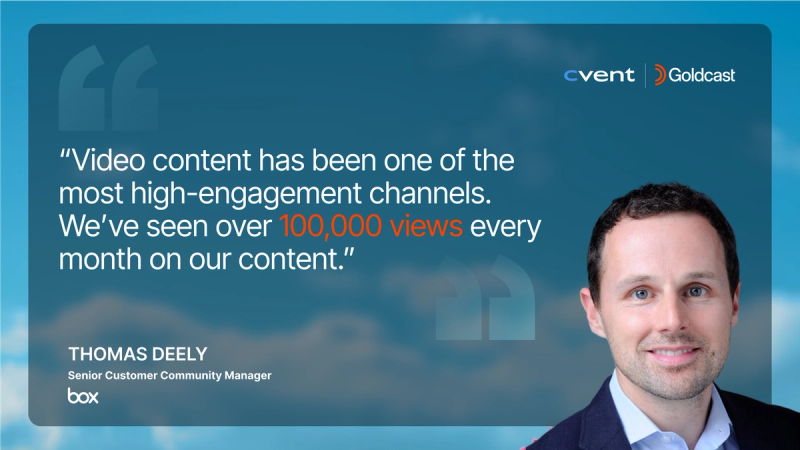
- Box 10X’d on-demand video content and made video their highest-engagement channel.
- Intercom scaled to 50+ webinars/quarter, turning recordings into multi‑format assets in hours.
- Uber for Business doubled content output and grew pipeline by 25%.
With the right video platform, it’s easier than it sounds.
🎬 See how teams turn one video into 30+ assets.
Step 1. Record without leaving the platform
Record your webinar, podcast, demo, or customer interview where everything else happens — no screen switching or clunky exports.
In Goldcast:
- Recording Studio runs in the browser (no downloads needed), captures studio-quality video and separate audio tracks, and auto-sends calendar holds with magic links to speakers.
- For multi-track shows or thought-leadership series, create recurring sessions; guests join in seconds.
- Simulive and pre-recorded options let you deliver polished content while hosting live Q&A for peak engagement.
Why it matters:
- Fewer moving parts means more quality content to post across channels.
- Raw recordings appear instantly in Content Lab for editing and repurposing — no downloading, re-uploading, or chasing files.
Scale output, spike engagement:
Box’s B2B team rallies a tens‑of‑thousands‑strong community with a steady drumbeat of video — customer forums, community events, roundtables, and more — all spun up and repurposed from a single workflow.
“The amount of video content we create now, as compared to even a year ago, is tremendous,” says Ashesh Satvedi, Director of Events & Video at Box.
Marketers across Box’s events, customer, and content teams use Content Lab to combine AI-generated and custom-branded clips to achieve 10x video output in a fraction of the time.
Step 2. Let AI handle the grunt work
The bottleneck isn’t ideas — it’s the hours spent editing, captioning, and drafting derivative assets. Offload it to one end-to-end platform.
In Goldcast:
- Content Lab auto-identifies the best moments and creates channel-ready, on-brand clips with captions and metadata in minutes.
- It generates multi-modal drafts from your recording: blog posts, emails, social copy, transcripts — all fine-tuned to your Brand Voice.
- AI Search finds top moments across your video library to resurrect evergreen insights fast.
- Agentic AI Editors apply branded layouts, transitions, and B‑roll using easy, natural-language prompts.
From one recording you get:
- 6–12 captioned clips (square, vertical, landscape)
- 1 blog draft + 3–5 social posts + email copy
- Clean transcript and summarized takeaways
Real wins from real brands:
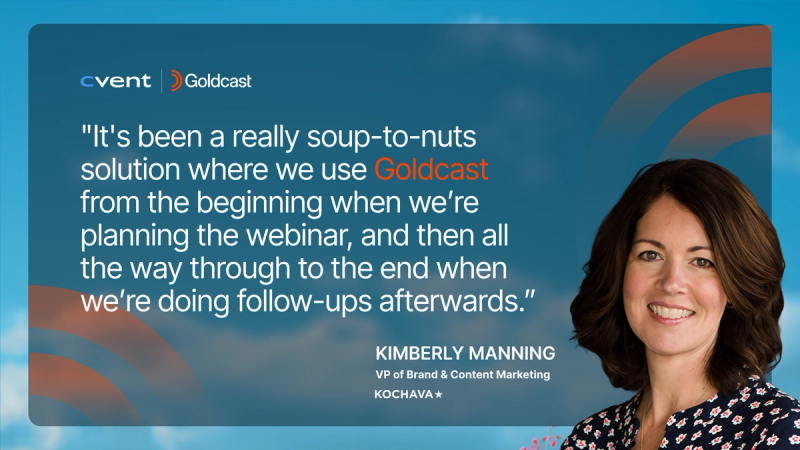
- Kochava cut social clip creation from ~2 hours to 10–15 minutes per webinar, saw 2–3x higher engagement, and 15k+ impressions on social videos.
- PolyAI produces a weekly podcast with Recording Studio + Content Lab in under 2 hours per episode.
- MAICON published same‑day session notes and clips for 20 sessions; social interactions grew 400%.
Step 3. Distribute to one hub (not 10 platforms)
On‑demand is where discovery happens: 80% of webinars live there now. Instead of re‑uploading the same video everywhere, route traffic to a single, branded hub that’s GEO/SEO‑optimized so audiences can find, watch, and convert without the endless detours.
In Goldcast:
- Video Hubs provide a fully branded, “Netflix-style” destination with categories, search, chapters, and CTAs.
- Go from gated to ungated. Use transcripts, takeaways, and embedded blogs to boost SEO and on-page engagement.
- Embed your hub anywhere on your site — without breaking analytics.
Make your hub strategy work:
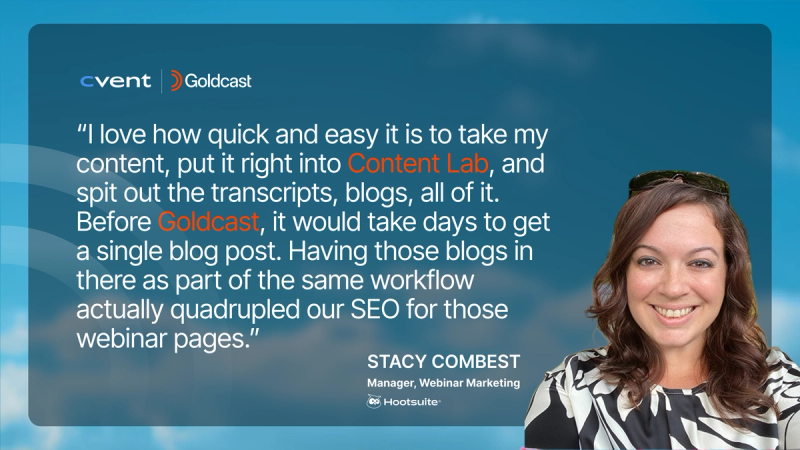
- Hootsuite used Content Lab to embed AI-generated blogs on on‑demand pages, growing organic traffic to webinar pages by 150% and on‑demand views by 38%.
- Yext’s hub strategy increased page views 43%, sessions 52%, and unique visitors 25% after removing friction and organizing by journey.
- Board of Innovation powers a YouTube strategy with hours of repurposed webinar content, generating an average of 300 views in the first month.
Step 4. Measure what matters
Views are vanity. Pipeline is sanity. Your workflow should connect video engagement to revenue. The right platform makes it simple.
In Goldcast:
- Analytics sync to CRM showing which accounts watched, how long, and what they engaged with.
- Native Salesforce/HubSpot/Marketo integrations auto-push attendee and account intent data into your GTM stack.
- Intent signals trigger scoring, alerts, and follow-up workflows automatically.
How it helps:
- Sales gets real-time Slack alerts when target accounts register, show up, or hit key engagement thresholds.
- Account-level analytics roll up engagement across a buying committee so reps know who to contact and what to say.
The proof is in the pipeline:
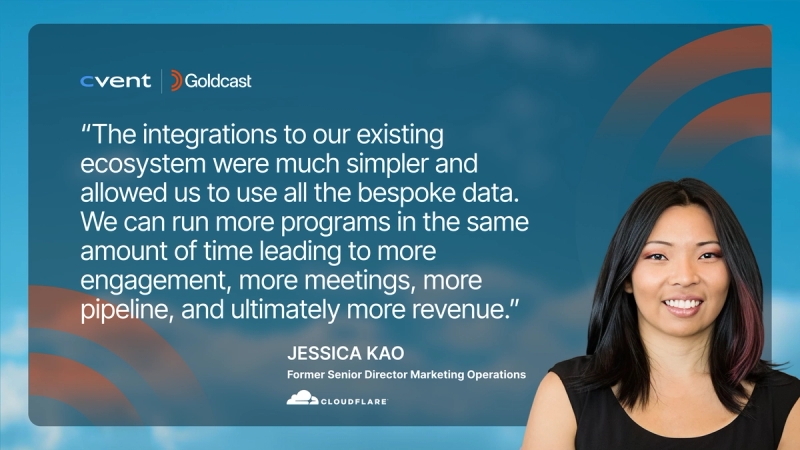
- Cloudflare runs 400+ webinars per quarter and tracks engagement across each one, plus derivative video assets, in one workflow.
- Middesk influenced $1.8M in pipeline with their digital events, powered by templates, Content Lab, and Salesforce/HubSpot integrations.
- Tackle influenced 57% of new business pipeline and 51% of closed‑won deals via webinars and virtual events — while raising attendance and creating enough content for “the whole year.”
The exact, click-by-click workflow
Here’s how a single 1-hour webinar becomes a quarter’s worth of content — without hiring editors or herding together a half-dozen tools.
1. Maximize live and on‑demand performance
- Aim for 45–60 minutes live. This is the most popular length and aligns to an average watch time of ~29 minutes.
- Bring variety. Our latest benchmark data shows an average of four speakers per event — conversational formats lift engagement.
- Use the W‑word. Titles with “webinar” get 66% more regs and 9% higher attendance; series titles add ~30% more.
2. Record in Recording Studio (live, simulive, or pre‑record)
- Create the session: Add speakers with roles; auto-send calendar holds via magic links.
- Use Backstage to prep: Run polls and line up CTAs and resources (docs, links, demos) for timely drops.
- Go simulive for control: Pre‑record the session, then host live Q&A; ideal for regulated, global teams.
3. Push the recording straight into Content Lab
- Auto-generate:
- Clips: 6–12 highlights with on‑brand layouts and captions.
- Text: blog draft, email, social posts, takeaways, transcript — all tuned to your Brand Voice.
- Skim the AI suggestions, approve the best, and make light edits. Most teams go from “rough cut to ready” in minutes.
4. Publish to a Video Hub and embed on your site
- Create or add to a hub: Group by theme (e.g., “AI for Revenue Teams”) so buyers can binge easily.
- Add chapters, takeaways, and CTAs (“Book a Demo,” “Start Free Trial”), and link resources for deeper dives.
- Embed the hub or individual sessions on your website with Smart Events to preserve analytics and UX.
5. Distribute derivative content across channels
- Social: Schedule clips for LinkedIn and YouTube; repurpose vertical cuts for Shorts/Reels.
- Email: Send a highlights reel to no-shows and registrants; include a chaptered on‑demand link.
- Blog: Publish the Content Lab draft with embedded video and pull‑quotes to build organic entry points.
6. Route intent to sales and ops automatically
- Sync engagement data, including registrations, attendance, watch time, poll responses, questions, resource clicks, and CTA conversions to Salesforce/HubSpot/Marketo.
- Fire Slack alerts to owners when a target account joins or consumes key content.
- Trigger post‑event cadences by segment (attended vs. no‑show; ICP vs. non‑ICP; high‑intent actions taken).
7. Rinse and repeat
- Use AI Search to quickly find and redeploy aligned moments across your library.
- Build quarterly “best of” hubs and nurture tracks from your clip catalog.
- Mature teams are operating at 3–4 webinars per month on average.
It’s not about replacing human creativity.
It's about eliminating the "unsexy work" of video production: the trimming, formatting, captioning, and organizing that typically burns out editors and stalls campaigns.
Learn how an end-to-end video platform collapses recording, editing, and distribution into a single workflow—and frees up 15+ hours every time.
Transform Your Video Marketing with AI

© 2026 Copyright Goldcast, Inc. All rights reserved.
YOUR PRIVACY CHOICES