




 Upcoming Events
 Event Series
 On-Demand Events


Best Video Interview Platforms for High‑Impact Customer & Partner Content

Table of Contents
Maximize Your Marketing ROI
Join 10,000 other marketers already getting the best tips on running engaging events that boost pipeline and create raving fans.
In a video‑first GTM, interviews aren’t just research or testimonials—they’re fuel.
With the right video interview platform, you can capture studio‑grade recordings from anywhere, invite guests with zero friction, record separate multi‑track files, and repurpose into channel‑ready clips, posts, and on‑demand pages.
All on the same day. 🥂
Below, we break down the best video interview platforms for B2B teams. We also share a quick buyer’s checklist, plus real examples of AI‑powered workflows that help automate, streamline, and tie your interview process directly back to pipeline.
The right interview tool turns conversations into revenue
In a world where an estimated 95% of your audience isn’t ready to talk yet, customer and partner conversations are your fastest path to authentic content, social proof, and sales enablement.
Whether you’re running virtual video interviews or capturing in‑person interviews and recorded interviews—a single interview can power case studies, shorts for LinkedIn, email nurture, and a resource hub. But only if your platform supports local multi‑track capture, branded environments, and built‑in repurposing.
For time-strapped B2B teams, the transformation is huge. You need to produce more, faster—without bloating your tech stack. But it’s not just about consumption. Video as a channel is scaling fast.
On Goldcast alone, webinars grew 225% year over year and nearly 80% of events are now available on‑demand, which makes interviews and conversations perfect inputs for always‑on content hubs.
To win mindshare across every channel, you need two things: velocity and attribution.
In 2026, user‑friendly functionality and interview scheduling across time zones are table stakes features in a video interview tool. A video‑first stack goes farther, using AI to help you produce better content faster, while optimizing the experience on both ends.
Here’s what the right video interview platform unlocks:
- Customer stories and partner spotlights that publish same‑day across social, blog, and on‑demand
- Product research and executive thought leadership you can turn into blogs, clips, nurture emails, and series trailers
- Sales enablement snippets tailored to target accounts and buying committees
- Field interviews captured on‑site and repurposed alongside webinars for a unified brand story, with real‑time stakeholder notifications and account‑level metrics
The right tool makes it all possible.
And the best part? When engagement ties back to real accounts and opportunities, you’ll finally have the data you need to prove your strategy is working.
Top video interview software tools in 2026
From enterprise‑grade to small team‑friendly, the following video interview software tools can help you establish scalable video workflows and strong user experience for externally facing interviews.
1. Goldcast
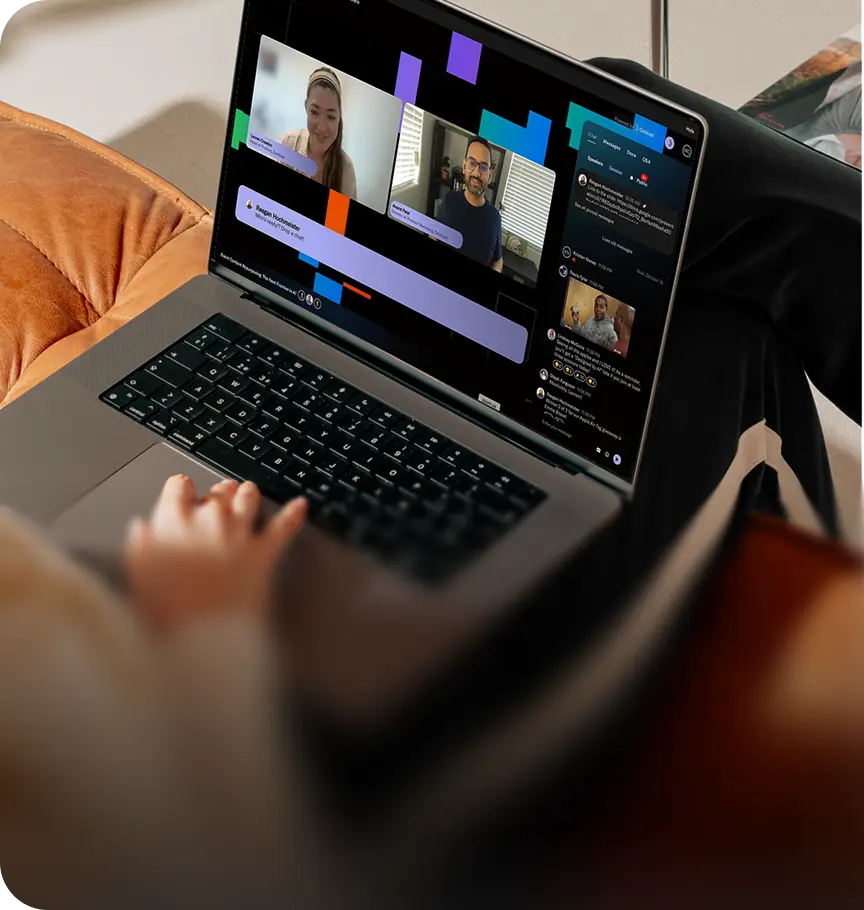
Goldcast is an end‑to‑end B2B video platform for studio‑quality recording, engaging webinars, and AI‑powered repurposing—built to tie video consumption back to pipeline, with real‑time account insights you can act on.
Top features:
- Recording Studio: Local, separate‑track capture with dynamic layouts
- Content Lab: AI repurposing into clips, blogs, social posts with Brand Voice
- Smart Events: Branded experiences with polls, Q&A, overlays, and on‑demand conversion
- Interview scheduling: User‑friendly booking flows for guests across time zones
- Analytics: Real‑time account‑level metrics for stakeholders
Best for: B2B GTM teams that want one platform for recording, events, and repurposing—plus account‑level analytics and CRM sync to prove ROI. Ideal for demand gen, content, and event leaders standardizing on a video‑first stack.
Pros:
- Measurable impact on conversion (up to 30% MQL→SQL)
- AI saves time while keeping brand consistency
- Automate repetitive parts of the events and interview process
Cons:
- Not a full Non-Linear Editing (NLE) system, lacks frame‑perfect editing
- Some integration gaps for niche tools; pricing varies by plan and seat count
“Goldcast has helped us scale engagement and content from our webinars, which has been a tremendous help for our Demand Generation engine,” says Arianna Etemadieh, Demand Gen Lead at Uber for Business.
With branded, on‑demand hubs and CRM + Slack integrations, Uber for Business doubled webinar registrations, lifted attendance 5–10%, and saw a 25% increase in pipeline influenced. The team also doubled their content output from interviews and demos.
2. Riverside
Riverside is a browser‑based studio for remote podcast and interview recording, with local 4K video and separate audio tracks plus live streaming and basic editing for a polished interview experience.
Top features:
- Local 4K video + uncompressed audio with separate tracks
- Built‑in editor and teleprompter
- Live streaming and multistreaming
Best for: Creators, podcasters, and marketing teams that need high‑quality remote recordings without a physical studio. Great for guest interviews where ease of joining and studio‑grade capture matter and user experience must stay simple.
Pros:
- Studio‑quality remote capture with per‑guest tracks
- No‑download guest flow, simple links
Cons:
- Guest caps can limit panels
- Reports of sync/upload glitches, limited AI‑powered functionality
3. Async (formerly Podcastle)
Async is an AI‑powered audio/video platform for remote interviews, podcast recording, and multi‑track editing with transcription and cleanup.
Top features:
- Multi‑track editor with AI audio cleanup
- Built‑in remote recording studio
- Automated transcription and subtitles
Best for: Solo creators and distributed teams who want a simple, all‑in‑one workflow to capture interviews, edit fast, and publish across formats without switching tools—helpful for recorded interviews and AI‑driven cleanup.
Pros:
- Streamlined “record→edit→publish” experience
- Time‑saving AI transcription/cleanup
Cons:
- Free plan feels restricted to some users
- Limited podcast discovery features
4. Descript Rooms
Descript Rooms captures local, high‑quality remote interviews and sends them straight into Descript’s transcript‑based editor for fast polish and export.
Top features:
- Local multi‑track remote recording
- Text‑based editing and collaboration
- AI enhancements (cleanup, filler‑word removal)
Best for: Marketing, sales, and B2B content teams producing conversation‑heavy assets (customer interviews, podcasts, internal discussions) who prioritize rapid turnarounds in a collaborative editor and want to streamline the interview process.
Pros:
- Speedy edit cycles with transcript‑first workflow
- Strong collaboration features
Cons:
- Performance slowdowns reported on long multi‑track projects
- Limited for advanced visual work
5. Vimeo
Vimeo offers professional hosting, live streaming, and webinar tools with branded players, privacy controls, and review workflows.
Top features:
- Ad‑free, customizable player (up to 8K)
- Webinars/live streaming and screen recording
- Passwords, domain restrictions for privacy
Best for: SMBs and GTM teams that need polished, secure hosting for customer stories, product videos, and occasional webinars—with strong control over playback and access.
Pros:
- Premium playback and presentation
- Strong access/privacy controls
Cons:
- Free tier storage is tight
- Advanced webinar features gated at higher plans
6. Zoom
Zoom is the default for live video calls and interviews, with HD meetings, recording, screen share, and wide calendar/tool integrations. It’s better for meetings than branded recording workflows.
Top features:
- Reliable HD meetings and cloud/local recording
- Screen sharing and chat
- Integrations with Google/Microsoft/Slack
Best for: Teams of any size that need dependable live interviews and customer calls. Useful as a capture fallback, but not ideal for multi‑track local recording, branded environments, or high‑stakes interview experiences.
Pros:
- Simple, reliable real‑time meetings
- Strong scheduling/integration ecosystem
Cons:
- Ongoing security concerns
- 40‑minute cap on free plan; limited AI‑powered post‑production
7. StreamYard
StreamYard is a browser‑based studio for live interviews, webinars, and multistreaming. Ideal for fast spin up with polished layouts and basic editing.
Top features:
- Easy, no‑download live production
- Multistreaming to multiple destinations
- AI Clips and cloud recording
Best for: Creators and small teams who prioritize speed and simplicity for live shows, panels, and interviews that need to stream to YouTube, LinkedIn, and more without heavy production overhead; good for scalable distribution.
Pros:
- Intuitive, low‑friction live workflows
- Solid value for multistreaming
Cons:
- Shaky internet connections can cause problems
- Storage/plan constraints on lower tiers; interview scheduling handled elsewhere
8. Restream
Restream lets you broadcast live interviews and panels to 30+ destinations simultaneously, with browser‑based production and unified chat.
Top features:
- Multistreaming across major platforms
- In‑browser studio and recording
- Centralized comments and performance view
Best for: Marketing and content teams focused on broad live reach and distribution—panels, thought leadership streams, and interviews where omnichannel visibility matters more than deep editing.
Pros:
- Simple multistreaming from one setup
- Centralized engagement monitoring
Cons:
- Quality tied to host bandwidth
- Constraints on scheduling pre‑recorded “live”; limited AI‑driven editing
Buyer’s checklist: video interview software shortlist criteria
Prioritize velocity (same‑day outputs), attribution (account‑level analytics), and your core use cases (customer stories, thought leadership, sales enablement, field capture). Shortlist 2–3 tools against the criteria below and run a quick pilot with stakeholders aligned on pricing and success metrics.
A complete end-to-end video interview platform should include:
- Local, separate‑track recording for clean files—even on shaky Wi‑Fi (critical for recorded interviews)
- Zero‑friction guest flows (no downloads, device checks, calendar holds) and user‑friendly interview scheduling across time zones
- Branded experience with overlays, lower‑thirds, and on‑demand pages to elevate user experience
- AI repurposing into clips, captions, and show notes (always with human‑in‑the‑loop approvals)—prioritize AI‑powered or AI‑driven features that automate and streamline repetitive work
- Native distribution to YouTube/LinkedIn, your CMS, and sales channels
- Analytics and CRM sync to prove ROI with real‑time metrics at the account and contact level
- Core functionality from booking to post‑production to optimize the interview process end‑to‑end
To fuel a high‑velocity interview/webinar series, Modern Sales Pro leaned on AI repurposing to turn conversations into channel‑ready clips and posts. The result: they launched 176 webinars in a year with a 39% average attendance rate and dramatically faster social output.
“The analytics right after the event make it really fast for us to contact sponsors with who attended, questions asked, and what people clicked on,” says Marketing Manager Eduardo Duarte Ruas. “Goldcast makes it really easy for us to collect the data and create a follow‑up that is seamless and very fast.”
From conversation to conversion
Video‑first isn’t a fad—it’s the operating system for modern GTM. When interviews become your source of truth, agentic AI turns every conversation into same‑day clips, posts, and on‑demand pages, while account‑level analytics show exactly who watched what, for how long, and what moved deals.
The winning stack is simple: pristine local capture, human‑approved repurposing, and pipeline attribution. All scalable across teams and regions.
Transform customer stories, partner spotlights, and executive POVs into fuel for your growth engine. Demo Goldcast today and find out how you can ship faster and prove impact.
FAQs
What internet speed is required for high-quality video interviews?
For optimal quality, both parties need at least 3-5 Mbps for HD video or 25+ Mbps for 4K. Most platforms automatically adjust quality based on connection speed, though slower connections may cause pixelation or audio sync issues. Consider time zone differences when scheduling and run a real‑time tech check before you start.
How do you ensure accessibility compliance in video interviews?
Choose platforms supporting closed captioning, screen reader accessibility, and keyboard navigation. Provide alternative accommodations like phone interviews or extended time limits. Automatic transcription and sign language interpretation integration help maintain ADA and WCAG compliance.
How should technical issues be handled during live video interviews?
Establish clear technical support protocols, including backup communication methods. Conduct a tech check 10-15 minutes before interviews. If issues arise, pause professionally, switch to backups if needed, and offer to reschedule. Learn from the mistakes, then automate reminders, streamline interview scheduling, and document your process to optimize future sessions.
Transform Your Video Marketing with AI

© 2026 Copyright Goldcast, Inc. All rights reserved.
YOUR PRIVACY CHOICES