




 Upcoming Events
 Event Series
 On-Demand Events


8 Product Demo Video Makers Every B2B Team Should Know About

Table of Contents
- What makes a product demo video maker great?
- Our picks for the best product demo video makers of 2026
- 4. Flixier—best for browser‑based video editing
- 5. HowdyGo—best for interactive product demos
- 6. Canva—best for non-designers creating quick visuals
- 7. Descript—best for text-based video editing
- 8. VEED.io—best for localizing video content
- Why B2B teams choose Goldcast over basic screen recorders
Maximize Your Marketing ROI
Join 10,000 other marketers already getting the best tips on running engaging events that boost pipeline and create raving fans.
Your product demo video does more selling than your sales deck. It shapes first impressions, feeds pipeline, and gives reps a consistent story to tell.
The problem? Picking the right product demo video maker can quietly eat days of your week.
You’re wading through screen recording software, lightweight video editors, AI-powered clip tools, and full-blown platforms that all claim to “make demos easy."
The stakes are higher than they seem. The wrong choice can slow launches, create bottlenecks between product and marketing, frustrate sales teams, or stretch budgets with features you’ll never use.
We did the homework so you don’t have to. This guide compares leading product video makers and when to use each type.
By the end, you’ll know which tool matches your team’s workflow, volume, and budget—and where a simple recorder ends and a true content platform begins.
Best product demo video makers 2026
- Goldcast: best for B2B teams scaling video production
- Loom: best for async video messaging
- Camtasia: best for screen-recorded tutorials
- Flixier: best for browser-based video editing
- HowdyGo: best for interactive product demos
- Canva: best for non-designers creating quick visuals
- Descript: best for text-based video editing
- VEED: best for localizing video content
See how teams like Uber and Cloudflare turn one demo recording into 12+ pieces of pipeline-driving content.
What makes a product demo video maker great?
The gap between “we recorded a demo” and “that demo influenced pipeline” is where most video marketing tools fail.
The tools that close this gap combine screen recording, video editing, distribution, and analytics into a single workflow, eliminating the manual handoffs that slow production and fragment your data.
Here’s what to look for:
Recording quality
Recording quality determines how much post-production you'll need.
Local recording captures high-quality 1080p video for each participant regardless of internet stability, while browser-based tools compress footage in transit. This matters less for quick internal walkthroughs but becomes critical when demos need to represent your brand to potential customers.
Audio clarity
Audio clarity follows the same pattern: local capture preserves natural speech patterns, while compressed recordings introduce artifacts that make automated transcription (and text-based editing) less accurate.
AI voiceovers and background music options can enhance the final product during post-production. But what happens after recording is the real unlock.
Repurposing power
A screen recorder gives you a file. An end-to-end video platform gives you clips, transcripts, blogs, social posts—and connects content engagement to Salesforce or HubSpot.
If you’re shipping more than a few demos a month, that repurposing + attribution loop compounds fast.
Key features to look for include branded video templates, annotations, subtitles, and the ability to embed videos across channels.
Our picks for the best product demo video makers of 2026
We pulled from official docs and pricing pages, then sifted through recent, verified user reviews on G2, Capterra, TrustRadius, and more. All comparisons are based on publicly available data as of publication.
We clearly have a dog in this race. But that doesn’t mean Goldcast is right for everyone.
We aimed to keep this evaluation as even‑handed possible, including real user reviews and insights—not just feature lists.
1. Goldcast—best for B2B teams scaling video production
Goldcast is an AI-powered B2B video content platform that manages the complete video lifecycle. Unlike point solutions that handle recording or editing separately, Goldcast connects video creation directly to business outcomes through deep integrations with Salesforce, HubSpot, and Marketo.
The end-to-end video platform consolidates functionality typically requiring multiple tools into a unified workflow that tracks engagement through to pipeline influence.
- Best for: B2B marketing teams creating, repurposing, and measuring video content at scale
- Pricing: Content Lab free, Recording Studio & Events (contact us for demo 👋), Custom bundles available
- Free trial: Content Lab free forever, Recording Studio & Events available via demo
➡️ View plans
Key features
- Studio-quality events: Live, pre-recorded, and simulive events with multi-streaming to social platforms.
- Branding control: Full brand customization across registration, emails, and on-demand hubs.
- Engagement suite: Q&A, chat, polls, and breakout rooms for audience interaction and collaboration.
- Content tools: Slides, screen sharing, and AI-powered Content Lab for automatic repurposing.
- Analytics + integrations: Native CRM integrations (Salesforce, HubSpot, Marketo) with engagement tracking.
Pros
- AI-powered repurposing saves hours of post-event editing
- CRM and MAP integrations capture engagement at the account level
- Brandable interface creates a polished viewer experience
Cons
- Editors may want more granular timeline control for complex cuts
- Reporting features require learning where to find specific data
- Minor admin UI learning curve
What people are saying:
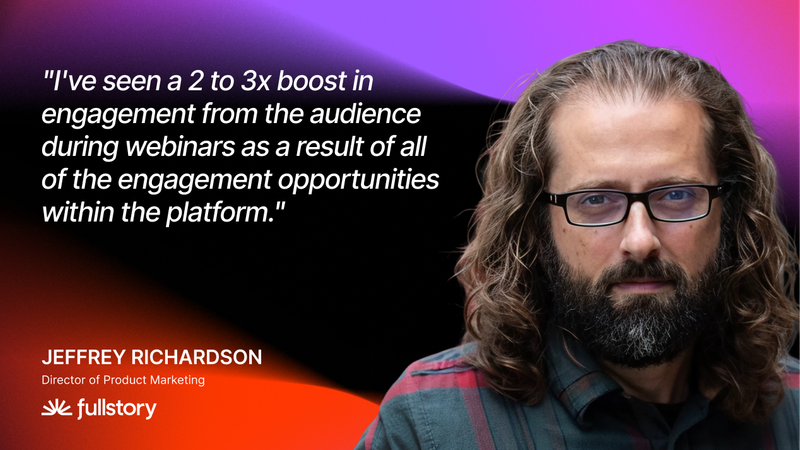
The gap between "we made a video" and "that video influenced $2M in pipeline" is where Goldcast lives.
2. Loom—best for async video messaging
Loom is built for speed: click record, explain the thing, share a link. It’s ideal for quick walkthroughs, status updates, and one‑to‑one sales touches where time‑to‑send matters more than perfect production polish.
- Best for: Distributed teams sending quick explanations without scheduling meetings
- Pricing: $0/month (Starter), $18/user/month (Business), $24/user/month (Business + AI), Enterprise (contact sales)
- Free trial: 14-day free trial for Business + AI plan; Starter plan includes up to 25 recordings with 5-minute limit
Key features
- One‑click screen + camera recording (desktop + Chrome extension) with instant link sharing
- Lightweight editor to quickly trim, cut silence, and filler‑word removal
- AI assist for auto titles, summaries, and transcripts to speed navigation and search
Pros
- Near‑zero friction
- Great fit for async cultures
- Low learning curve
Cons
- Limited editing and branding
- No native multi‑format repurposing (blogs, social clips) or CRM/MAP attribution
- Basic team governance/asset management controls
What people are saying:
“Loom makes communication extremely simple and effective. Recording quick videos to explain ideas, walkthroughs, or updates saves a lot of time compared to long emails or meetings. The interface is clean and intuitive, so anyone can start recording without much learning. I especially like how easy it is to share videos instantly with a link and get viewer insights such as who watched and for how long. It’s a great tool for async communication and remote collaboration.” — verified G2 review, Salesforce Developer, Information Technology and Services
3. Camtasia—best for screen‑recorded tutorials
Camtasia is TechSmith’s desktop editor and recorder built for training, explainer videos, and step‑by‑step product walkthroughs. You get fine cursor controls and a simple timeline, plus AI helpers for noise cleanup and transcripts. It’s perfect for when clarity matters more than cinematic polish.
- Best for: Teams producing polished product tutorials and how‑to videos
- Pricing: Starter $39/year, Essentials $179.88/year, Create $249/year, Pro $599/year
- Free trial: Free trial available for all products
➡️ View plans
Key features
- Cursor and keystroke effects for clear software walkthroughs
- All‑in‑one recording + multi‑track editing
- AI audio cleanup and transcription (remove background noise, generate captions)
Pros
- Easier learning curve than pro editors
- Purpose‑built for screen‑recorded training
- Simple end‑to‑end workflow
Cons
- No native hosting/analytics or CRM attribution
- Users report occasional instability on long projects
- Advanced features in higher tiers
What people are saying:
“I can record my screen, fix small mistakes, zoom into areas where viewer might get confused, and add captions without opening five different menus. The timeline is easy to read and I really feel lost while editing even after taking a break from the tool for a few weeks. I am not a professional video editor and I don't want to be one I just need clean understandable video. Camtasia feels built for people like that.” — Software Engineer, Information Technology and Services, verified G2 review
4. Flixier—best for browser‑based video editing
Flixier is a cloud editor that runs in the browser—no installs, no heavy hardware. Exports render on Flixier’s servers, so teams on basic laptops or Chromebooks can still turn around social cuts and demo snippets quickly, with built-in screen/webcam capture for a record‑to‑edit workflow.
- Best for: Fast social clips and lightweight demo edits without installing software
- Pricing: Free plan available, Pro $23/month, Business $43/month
- Free trial: Free plan with 10 minutes export/month
➡️ View plans
Key features
- Cloud rendering to avoid local hardware bottlenecks
- In‑browser screen + webcam recording (record and edit in one place)
- Review links for time‑stamped team feedback before final export
Pros
- Zero install and low learning curve
- Faster export experience on low‑spec machines
- Direct publishing to YouTube, Vimeo, or Facebook
Cons
- Free plan is limited
- Performance tied to upload bandwidth and internet stability
- Limited advanced timeline controls for complex edits
What people are saying:
“Overall, Flixier has come a long way since the very beginning and continues to amaze me with how easy it is to use, its high quality for the price, and now the additions of AI will push this product even further to becoming one of the best modern video editors. I highly recommend it to anyone who doesn't want the annoying learning curve most video editors require.” — Marketing, Business and Operations Consultant, verified Capterra review
💡Get seen on every channel. Learn more about automatic formatting for YouTube and TikTok.
5. HowdyGo—best for interactive product demos
HowdyGo creates interactive demos that prospects can click through, rather than passive video recordings. The platform captures your product's HTML and CSS, producing high-fidelity replicas that stay crisp at any resolution and support real interactivity.
- Best for: SaaS go-to-market teams creating clickable, interactive product demos
- Pricing: Starter $159/month, Pro $399/month, Enterprise (custom pricing)
- Free Trial: 14-day free trial available
➡️ View plans
Key features
- No-code editing to change text and images without re-recording
- Organize multiple demos into "product education hubs" for self-serve
- Track lead activity
Pros
- HTML-based capture stays crisp at any resolution
- Fast time-to-publish (demos built in under an hour)
- No-code editing lets you update text and images post-capture
Cons
- Chrome extension occasionally misses loading screens or specific elements
- Complex branching less intuitive or reserved for higher plans
- Significant pricing jumps between tiers for advanced features
What people are saying:
"HowdyGo's interactive demo, gif and video creation capabilities were perfect for what our Product Marketing team needed for a new landing page to highlight over 30 new innovative features we launched in the last few months." — Ellie G., verified G2 review
Get more mileage from every webinar. ⛽ Learn proven tips for transforming interactive webinars into high-quality product and customer content.
6. Canva—best for non-designers creating quick visuals
Canva is a browser-based design tool with templates for social graphics, animations, presentations, and videos. The platform's drag-and-drop interface makes it accessible to users without design training.
Think of Canva as the Swiss Army knife of design tools—it does a lot of things well enough to get most marketers out of a jam, but it's not going to replace your dedicated video editor for serious production work.
- Best for: Non-designers producing branded visual content without specialized software
- Pricing: Free plan available, Pro $144/year, Business $250/year per person, Enterprise (custom pricing)
- Free Trial: Free plan available; 30-day free trial for Pro and Business
➡️ View plans
Key features
- Thousands of customizable templates for videos, social media graphics, and presentations
- Brand Kit to store brand colors, fonts, and logos
- Drag-and-drop editor requires no design experience
Pros
- Accessible to users without design backgrounds
- Massive template library accelerates content creation
- Keeps assets consistent across designs
Cons
- Video editing features are basic compared to dedicated tools
- Limited integration with CRMs and marketing automation platforms
- No meaningful analytics for video engagement or performance tracking
What people are saying:
"What I love most about Canva is how beginner-friendly it is. As someone who has used Adobe Photoshop for years, I still find Canva great for anyone just getting started with creating graphics and social media templates, especially people who aren’t very tech-savvy. I also like how many templates they offer for free, along with the premium templates available if you’re paying for Canva. Another thing I find really helpful is how easy it is to set up your branding. It makes it simple to use the templates in their library and edit them so they match your brand style." — Digital Delivery Lead / Product Owner, verified G2 review
What if your product demos worked as hard as you do?
Goldcast customers like Tackle and Uber don't just record once—they repurpose everywhere.
7. Descript—best for text-based video editing
Descript turns video editing into something closer to document editing. The platform automatically transcribes your footage, then lets you edit the video by deleting or rearranging words in the transcript. Delete a sentence, and the corresponding video disappears.
If you've ever wished you could edit video like a Google Doc, Descript is your answer. It's perfect for content creation teams with a range of video content including product education, webinars, and podcasts.
- Best for: Podcast and video creators who prefer editing by typing rather than timeline scrubbing
- Pricing: Free plan available, Hobbyist $16/month, Creator $24/month, Business $50/month, Enterprise (custom pricing)
- Free trial: Free plan available with 1 hour of media per month
➡️ View plans
Key features
- Edit by deleting words to remove footage
- One-click cleanup of "ums," "uhs," and vocal hesitations
- Generate AI voiceovers in your voice
Pros
- Text-based editing simplifies cuts and rearrangements
- One-click filler word removal
- Built-in screen recording for software demos
Cons
- Performance issues reported on larger projects (freezing, crashing)
- AI features gated by monthly credit limits
- Unintuitive for users expecting traditional timeline editing
What people are saying:
"Descript is the primary tool I use for all my audio and video editing. I produce a number of podcasts and Descript makes the process virtually painless. It's also useful for creating clips, captions, social posts, and getting the finished product ready for distribution on external platforms. With the addition of Squadcast, Descript offers an end to end pre and post production toolkit." — Executive in Professional Services, Broadcast Media Company, TrustRadius review (incentivized)
8. VEED.io—best for localizing video content
VEED.io is a browser-based video editor with strong AI features for subtitles, dubbing, and translations. The platform supports dubbing into 29+ languages, making it useful for teams distributing content globally.
If your demo videos need to work in multiple markets, VEED.io's localization features can save you from hiring a whole team of translators and voice actors.
- Best for: Teams localizing video content for international audiences with AI dubbing
- Pricing: Free plan available, Creator $12/month per editor (billed yearly), Pro $24/month per editor (billed yearly), Studio $39/month per editor (billed yearly), Enterprise (custom pricing)
- Free trial: Free plan available
➡️ View plans
Key features
- AI translates and automatically dubs videos into 29+ languages
- Generate accurate captions in multiple languages
- Eye contact correction adjusts your gaze to appear as if you're looking at the camera
Pros
- Screen and webcam recording with flexible layouts
- AI features (eye contact, noise cleanup, subtitles) save time
- Built-in teleprompter for scripted narration
Cons
- Lag and slow exports on longer or 4K videos
- Missing pro-grade timeline features
- Free plan includes watermarks
What people are saying:
"I use VEED mainly for converting audio files into video format with subtitles, trimming audio, adding effects and filters, and editing videos for various social media and app posts. VEED offers the easiest way to trim audio and video files, with the best in market for accurate subtitle generation. The audio-to-video conversion and exporting features are great, and the user interface is the easiest for any beginner to start using instantly…. I set up VEED in under 3 minutes, which was the fastest." — Senior Quality Analyst, Financial Services, G2 verified review
Why B2B teams choose Goldcast over basic screen recorders
Most teams outgrow basic screen recorders in months.
If you're creating demo content for pipeline generation (not just internal updates), start with a platform that handles recording, editing, and distribution in one measurable workflow.
For B2B marketing teams measured on pipeline contribution, this matters more than any individual feature:
- Trace which demo videos influenced which deals
- Alert sales the moment a target account watches a specific segment
- Prove video ROI with data leadership trusts
Start turning demo recordings into pipeline drivers today. See how Goldcast works or start repurposing for free with Content Lab.
Transform Your Video Marketing with AI

Stay In Touch
Platform
Resources
Company
© 2026 Copyright Goldcast, Inc. All rights reserved.
YOUR PRIVACY CHOICES