




 Upcoming Events
 Event Series
 On-Demand Events


5 Best Pre-Recorded Webinar Platforms for B2B Marketers

Table of Contents
Maximize Your Marketing ROI
Join 10,000 other marketers already getting the best tips on running engaging events that boost pipeline and create raving fans.
When it comes to hosting virtual events, you always have a choice to make: Should you do a live event or opt for a pre-recorded format?
There are pros and cons to each. While live events offer a certain pizzazz that comes along with everyone gathering at the same time, there's also a level of risk that something might go wrong. Plus, when you're running a large-scale event, speakers can get burned out or, worse, not show up.
Pre-recorded webinars offer many of the same engagement benefits as live ones, but they eliminate much of the uncertainty involved with a live event. With pre-recorded content, you have all speakers record their presentations ahead of time, and you're able to review and edit those videos before the actual event.
If that sounds good to you, you'll need a platform that can handle all the technical aspects of pre-recorded content and, ideally, still foster engagement and conversation among attendees.
We've got ya covered with a list of the five best webinar platforms for pre-recorded content! Here's a quick peek at the companies we'll look at today:
- Goldcast: Best all-in-one designed for B2B marketers to drive pipeline and engagement; Goldcast offers powerful, AI-assisted content repurposing long after the event is over.
- WebinarNinja: This one's popular with solopreneurs, coaches and educators who sell trainings or courses.
- BigMarker: BigMarker aims to reduce technology barriers by offering a straightforward but powerful events platform for sharing ideas.
- GoTo Webinar: Although there's a bit of a learning curve with GoTo, it offers top-notch security and doesn't impose time limits on events.
- Zoom: One of the OGs of the event brands, Zoom is a tried-and-true option for reliable, functional virtual events and online meetings.
Features you need: Choosing the right pre-recorded webinar software
If you want to release pre-recorded webinar content, there are certain features that will help your content stand out from the pack. Here are some key webinar features to look for as you continue your search.
Video hosting
In Goldcast, you can upload an external video as pre-recorded content, or you can record the presentation within Recording Studio. You can also choose a video from your existing video library, which contains past event recordings.
Ultimately, you want high-quality video streaming so that your videos look crisp and clear. It's also nice to have support for different video formats and the ability to organize your video library on the backend. The right platform makes it easy to manage all of your videos, including the ones you use for pre-recorded content.
Simulated live streams
Simulated live, or "simulive," allows you to combine the benefits of pre-recorded content with the engagement of a live event. Many Goldcast customers take this route; after all, if you're doing the hard work of planning and hosting an event, it makes sense to try to drive as much connection and engagement as you can.
Take Smartling as an example. The company wanted to attract 1K+ registrations for a large-scale virtual event, and they used Goldcast to deliver a Netflix-like viewing experience. Smartling pre-recorded most of their content, uploaded it into Goldcast, and then had it auto-play when the live webinar began.
Even if you don't plan to use simulive, it's a good idea to have it as an option in case you ever change your mind. Look for software that enables seamless transitions between pre-recorded and live segments and makes it look like pre-recorded content is being presented live. You should also be able to deploy certain features, like Chat and Q&A, during simulive presentations.
Data and analytics
Continuing with Smartling's case study, the team was also able to parse through Goldcast's robust data and analytics to understand the impact this event had on their business.
Here are just some of the KPIs that the Smartling team tracked:
- Registrations and attendance rates (attendance was 42%, which is on par with the 40% average we saw in this year’s webinar benchmark)
- Titles and companies of people who attended
- How long attendees stayed at the event
- What links were clicked
- How attendee time was spent
Just like "regular" content, you can use the data you get from pre-recorded content to make decisions for your future events and webinars. Strong webinar tools will help you connect your event KPIs directly to business outcomes.
CRM and marketing integrations
The platform you choose will have to work alongside your larger MarTech stack. Make it easy for yourself by choosing a tool that integrates with many of your existing platforms.
Integrations can really save you time with existing workflows and reduce the risk of manual error. We integrate with HubSpot, Marketo, Slack, Salesforce, Wistia, and more. We want to be able to connect to any platform B2B marketers are regularly hanging out because we know that simplifies onboarding and everyday tasks for busy marketers.
Onspring, a tech company providing intelligent process automation, used our HubSpot and Salesforce integrations to tie their event data back to metrics like upsells and cross-sells. Through Goldcast's integrations, they were able to determine that their event created a 183% ROI. Plus, the Onspring team no longer has to manually input webinar registrations into HubSpot, which saves around two hours each event.
Moderating and hosting
Even though you're recording your content ahead of time, you still want to be able to engage with your audience. Good moderation features include the ability to manage the chat, the option to spotlight specific questions "on stage" for all to see, and the ability to respond privately or publicly to attendees.
Automated run-of-show
The automated run-of-show feature allows you to schedule polls and surveys to launch and close at certain times within the pre-recorded session. This can streamline the workload on your producers, coordinators, or speakers and standardize the audience experience. Plus, you can set up as many automated cues as you want!
Engagement tools
One of the biggest concerns that people have when they're exploring pre-recorded webinars is that they'll lose out on audience engagement. Based on what we've seen, we don't think you have to worry about that. Even without live presenters, a good platform has plenty of interactive elements to keep your audience engaging with you and the content.
Essential interactive features include:
- Polls and surveys
- Live chat and ability to ask questions
- Resource sharing and call-to-action (CTA) buttons to drive conversions
- Emoji reactions
- Breakout rooms and other ways to let attendees mingle and network
Just like a traditional webinar, your goal with a pre-recorded webinar is for your attendees to become active participants, contributing to the energy of the session and making it more impactful for everyone.
Video repurposing for social media
Because most B2B marketers host events or webinars, they're sitting on a ton of valuable video content that can be repurposed to use on social media (and on other channels, like email, blog, etc.)
Good repurposing abilities to look for include:
- AI-assisted content creation
- Automatic transcription and/or captioning
- The ability to customize the branding and colors of your content
- Brand voice options so that your content is written in the tone of the person you're creating content for
Goldcast's Content Lab allows you to upload a recording and quickly get short-form clips, blog post drafts, email copy, and social posts in minutes.
For teams that want to go further, two agentic tools extend what's possible.
The Agentic Video Editor handles the technical editing end to end, with jump cuts, captions, scene changes, and overlays applied automatically from your raw recording. The Agentic Content Curator works across your full video library, surfacing the clips that best match your brand and current audience, so your team isn't spending time searching through hours of footage to find the right moment.
Give your recording a longer life
Content Lab turns any webinar recording into clips, blog drafts, social posts, and email copy in minutes. Try it free and mine your content library for gold.
5 best pre-recorded webinar platforms for B2B marketing
Selecting the right tool for your webinars can be the difference between an engaging, pipeline-driving event and just another meeting. (Harsh, we know, but true!)
As you go through the list, think about your specific needs when it comes to target audience engagement, technical support, ROI and analytics reporting, and more. This will help you narrow down your options and create a strong shortlist.
1. Goldcast
G2 rating: 4.7/5
Goldcast is the leading software for B2B marketers who want to create engaging automated webinar experiences that drive measurable results.
Features:
- Dedicated Recording Studio for dazzling pre-recorded content
- Automated run-of-show for timed polls and surveys during pre-recorded content
- Simulive functionality that combines pre-recorded content with live events
- On-brand registration forms and pages with no coding required
- Audience engagement tools including polls, Q&A sessions, emojis, and more
- Detailed analytics on attendee behavior and engagement
- Seamless integrations with HubSpot, Salesforce, Marketo, and more
- On-demand content hub gives you a place to host your evergreen pre-recorded webinars
- AI-powered Content Lab enables content repurposing in minutes, fueling your multi-channel content strategy
Pricing: Contact for more info
Free trial: Demo available; Content Lab is also free
2. WebinarNinja
G2 rating: 3.3/5
WebinarNinja is one of the most straightforward webinar software platforms designed to make webinar programming accessible.
Features:
- Pre-recorded functionality
- Email automation
- Basic suite of engagement tools
- Integration with popular marketing tools
- Access to analytics
Pricing: Pay $0.30/attendee; see website for more details
Free trial: Yes
3. BigMarker
G2 rating: 4.7/5
BigMarker is a browser-based webinar platform that hosts a range of events and prides itself on its customer service.
Features:
- Pre-recorded webinar options
- Marketing integrations
- Landing page builder
- Engagement tools
- Detailed analytics
- On-demand badge printing and scanning
- Mobile event apps
- AI-powered matchmaking for attendees
Pricing: See website for details
Free trial: Yes
4. GoTo Webinar
G2 rating: 4.2/5
GoTo Webinar is an established platform that might make sense for organizations already embedded in the GoTo ecosystem.
Features:
- Pre-recorded content
- Custom registration pages
- Automated email notifications and follow-ups
- Basic engagement tools
- Analytics and reporting
Pricing: Starts at $62/month; see website for more details
Free trial: Yes
5. Zoom
G2 rating: 4.6/5
Zoom provides basic webinar functionality with the familiarity of a product that's been in the virtual meetings space for years.
Features:
- Pre-recorded content capabilities
- Basic engagement tools
- Registration management
- Integration within larger Zoom ecosystem
- Widespread compatibility
- Access to simple reporting
Pricing: See website
Free trial: There is a free plan for meetings up to 40 minutes
Level up your pre-recorded (and live!) webinars with Goldcast
All of the platforms we've covered offer pre-recorded webinar capabilities, but Goldcast stands apart with its comprehensive, video-first approach to creating engaging events and content that helps you capture Mindshare with your audience.
By saving you time and resources when it comes to producing video, the Goldcast platform allows you to continuously build your brand and reach prospects, meaning you'll be on their minds when it's time to make a purchase decision.
Goldcast customers with real-world results
Check out these customer stories for some real-world stats on what Goldcast can do for you:
- FloQast launched their annual user conference TakeControl in just six weeks on Goldcast, bringing in 7,500 registrants and 4,600 attendees and driving 400% growth in sourced pipeline
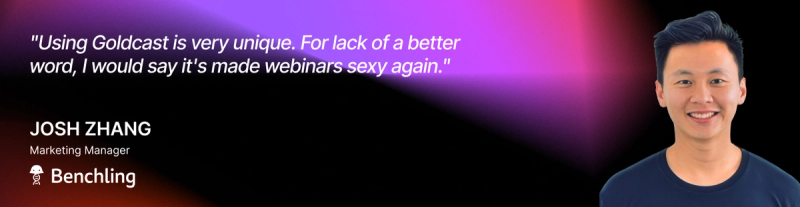
- Benchling boosted attendance from 27% to 34% and generated $6.1M in pipeline
- Onspring saw a 95% attendance rate and an 87% engagement rate, with an overall 183% ROI from just one event
And that's not all. There are countless other successful customer stories.
Easily repurpose pre-recorded content with Content Lab
One of Goldcast's most valuable features is the AI-powered Content Lab, which allows you to automatically transform webinar recordings into dozens of valuable marketing assets.
The Marketing AI Institute discovered firsthand the power of Content Lab when they were searching for a solution to turn around same-day event content for their flagship event, MAICON. They wanted to be able to process video recordings quickly, auto-generate session notes, and rapidly get video clips.
Content Lab delivered, allowing Marketing AI Institute to send out notes for more than 20 sessions to more than 4K attendees, typically within 30 minutes of the session ending. The resulting social media clips were also shared the same day, boosting social media engagement by 400%.
Create an on-demand, on-brand content hub
In our 2026 B2B Webinar Benchmark Report, we found that on-demand viewers complete an average of 91% of a recording, compared to 74% for live attendees. The audience that shows up on demand is your most intentional one.
Set up an on-demand, centralized content hub so your pre-recorded webinars continue driving ROI long after they're over. A hub also lets you promote upcoming events so that people can both view your archived content and sign up for new events.
Ready to try Goldcast?
When you're ready to level up your B2B video marketing and events strategy, you'll want to try Goldcast. We can help you reach a wider audience, create high-quality video content, and repurpose content into valuable video snippets and more.
If you'd like to see Goldcast in action, reach out for a demo and discover how we can transform your webinars and events.
Or, if you want to try Content Lab for free, sign up here and upload your first video recording to see how simple it is to remix videos into social media posts, blog drafts, and beyond.
FAQs
What is a pre-recorded webinar?
Pre-recorded webinars are filmed in advance and then made available either on a set schedule or on demand. While the pre-recorded format is not actively going on when people watch, modern platforms keep engagement tools like chat and polls active so attendees can still feel engaged.
What is the difference between a pre-recorded webinar and an on-demand webinar?
Pre-recorded webinars are filmed in advance and then made available afterward. On-demand simply describes the way that attendees access content; with on-demand recordings, attendees can watch whenever and wherever they want. Most pre-recorded webinars are available on-demand, but many live events are as well.
Can you have live engagement during a pre-recorded webinar?
Yes, absoutely! Platforms like Goldcast allow you to run chat, Q&A, polls, and other engagement features during pre-recorded sessions. A moderator can manage the chat in real time, giving attendees the experience of a live event whether it’s a pre-recorded or simulive session.
What is a simulive webinar?
Simulive, short for simulated live, is a format where a pre-recorded video plays during a scheduled live session window. To attendees, it looks and feels like a live event, while lessening the risk of technical issues for the back-end team. Simulive can be a great option for large-scale events.
How do pre-recorded webinars affect pipeline for B2B teams?
According to the 2026 B2B Webinar Benchmark Report, total webinar attendance rates are up 172% year over year, which means more pipeline exposure per event than ever before, but only if your software is wired to capture and act on it. Look for a platform that will pass all engagement data to your CRM. Attendees who ask questions and click resources are expressing intent, and that behavior should flow directly into your lead scoring and sales follow-up.
Transform Your Video Marketing with AI

© 2026 Copyright Goldcast, Inc. All rights reserved.
YOUR PRIVACY CHOICES