




 Upcoming Events
 Event Series
 On-Demand Events


November 16, 2026
Track your video edits in Content lab
You can now track and revisit edits made to your videos in Content Lab.
Here’s what’s new:
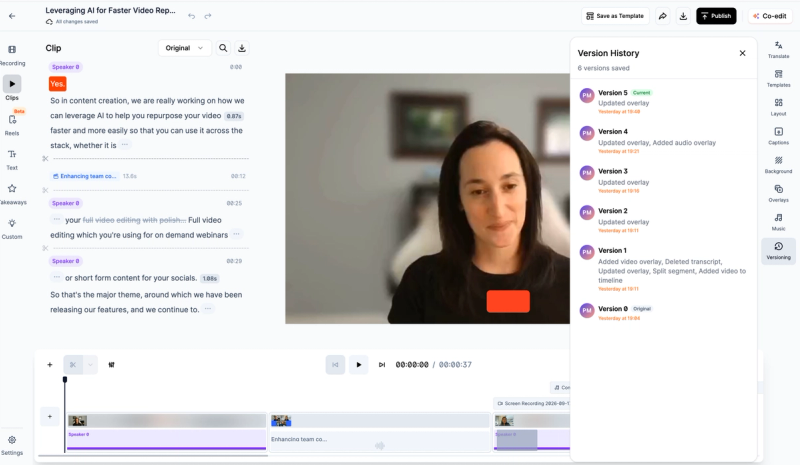
- Full edit history: View all saved versions in the new Versioning tab.
- See what changed: Each version includes a label, a description of the edits, and a timestamp.
- Access the original recording: Your unedited full recording is saved as Version 0.
- Restore any version: Preview an earlier version and restore it whenever you need. Restoring creates a new version, so your existing history stays intact.
Where to find it: Open a clip in the Content Lab editor and select Versioning from the right-hand menu.
Content Creation

© 2026 Copyright Goldcast, Inc. All rights reserved.
YOUR PRIVACY CHOICES