


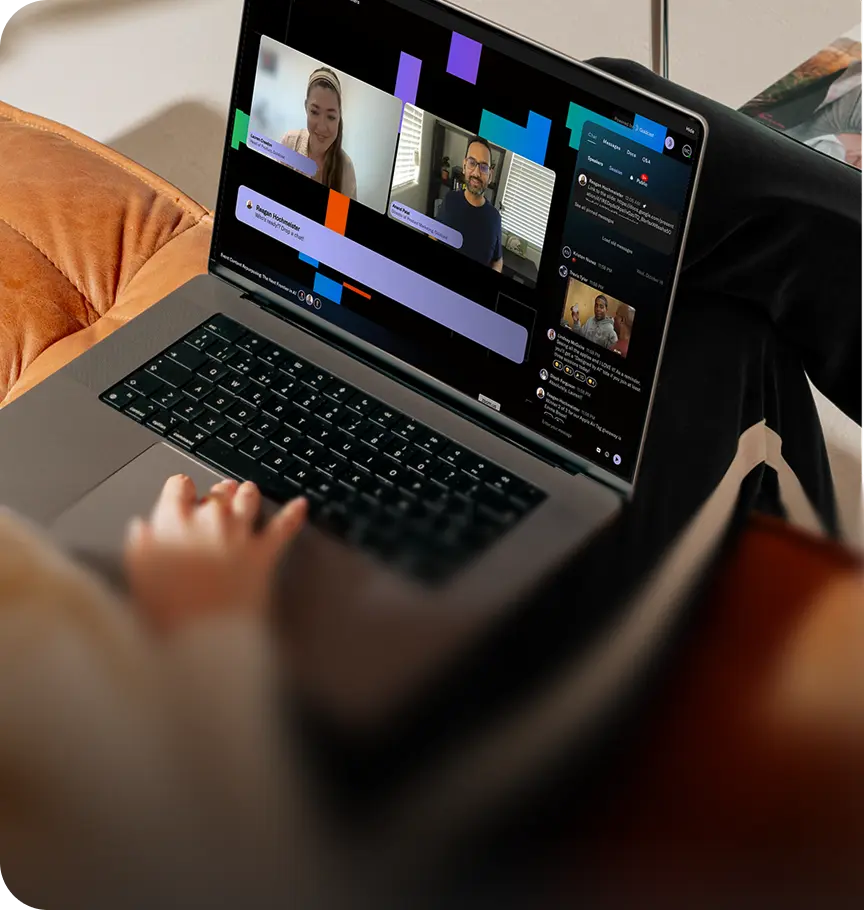


 Upcoming Events
 Event Series
 On-Demand Events


Save 2+ hours on a multi-session event build with MCP: From brief to live in a few prompts
Table of Contents
Maximize Your Marketing ROI
Join 10,000 other marketers already getting the best tips on running engaging events that boost pipeline and create raving fans.
Setting up a multi-session event is the part nobody puts on the agenda. Titles, times, speakers, descriptions, settings. By the time it’s done, it’s dark outside and you’ve got zero energy left for the creative stuff.
Our team tried to build a multi-session event with AI instead. Tori Whalen, who produces our Insider series, built a single-session webinar using just a brief. Reagan Hochmeister, from brand and content, built an entire eight-session event with a few prompts.
Both were clueless about MCP before they started, but with it, Claude did the building, they did the checking, and the process took hours less than it usually does. Goldcast MCP lets Claude work directly inside Goldcast. It’s in beta and works with Claude today.
Tl;dr:
- Get the brief right. Claude can draft one, but a person edits it before anything gets built.
- Ask AI for a summary and wait to confirm before anything is created.
- After the build, ask it to list back every session it created.
- Add the team, ask who was assigned what and what they can do.
- Let Claude review first, then do your own check before going live.
How Tori built a single-session webinar straight from the brief
Teams run 4.7 webinars a month on average, according to our latest benchmark data. That’s a lot of afternoons you could be spending creative work. Tori spent more than a year making her event process as efficient as possible. With MCP, she’s reached a whole new level of time saving.
The brief hammered out the basics: title, date, description and speakers. Her prompt told Claude:
- Which workspace and template to build it in
- To mark it as a test event
- To add her as speaker and staff
- Not to send her a calendar invite (she was doing a million tests)
She added a line at the end to keep her in the driver’s seat: “Before creating anything, show me a summary and then wait for my confirmation.”
Claude came back with a summary. Tori checked it line by line. Claude built out the title, date, her role as producer, the marketing workspace, and the test event setting. It all happened way faster than it normally would.
"My prompt at first was a lot shorter and less detailed. As Claude was like, ‘Wait, what about this? What about this?’ I was able to tell it to add it back into the prompt and create a prompt that was as efficient as I wanted it to be." — Tori Whalen, Growth Marketing Manager, Goldcast
Results won’t be identical every time, but a more specific prompt gets you closer. Treat Claude’s questions as a list of what your prompt is missing, then save the version that works.
How Reagan built an eight-session event
AI hype isn’t new. You might be thinking a one-session webinar is all this MCP stuff can handle. But Reagan’s experience proves otherwise. She built an eight-session virtual event with human review at every step.
Step 1. Ask Claude for a brief
Her first prompt was short: “Build a brief for this audience.”
She named the audience, our community of event marketers, and linked to the community so Claude could research it.
Claude came back in seconds with an event description, program goals based on the stats it knew our leadership cares about, notes on the audience from the community site, and suggested next steps such as registration and promotion.
It also proposed an agenda that mixed webinar formats: a keynote, panel, fireside chat, networking session, and a hands-on workshop.
Step 2. Edit the brief before anything gets built
This is the easiest step to skip. Don’t.
The brief decides every session title, time, speaker and description. One fix here saves you a dozen fixes later. Check it against your agenda template to make sure you’ve covered your bases.
Step 3. Build it, then ask for the list
Reagan’s next prompt gave Claude the reviewed brief, told it to build the event in Goldcast Events, and ended with her human checkpoint:
“List back every session you created so I can check it.”
The list the AI generates gives you something to check against your agenda: how many sessions, when each one runs and who’s speaking. In Reagan’s build, the timings were accurate, speakers were on their assigned sessions, and descriptions were set.
“In one prompt, we have eight sessions. This is truly something I used to lose an entire afternoon to.” — Reagan Hochmeister, Senior Brand Marketing Manager, Goldcast
The agenda isn’t locked once it’s built. You can keep prompting to add breaks or change timings, then ask for the list again to make sure it’s still accurate.
After the build: Who does what?
Next, Reagan asked Claude to add her internal team as speakers or producers. Then she asked who was assigned what and what each person could do.
The answer comes from the preset permissions in Goldcast Events. If a role can’t do what you expected, you find that out now, not on the day.
If a speaker drops out at the last minute or a session needs a new time, it’s easy to make the change in Goldcast. But if you’re already in Claude, staying there saves you the brain tax of switching back and forth.
Before you go live: Which checkpoints keep you in charge?
These are the four checks our team used in their test builds. Each one comes in at a point where something is either created or published.
Claude does the first pass and you do the final one using a tried-and-tested webinar operations checklist.
Reagan saved more than two hours on her eight-session build using this process. Your number depends on how many sessions you have, how complete your brief is, and how many rounds of refinement your prompts take.
Build events straight from your brief
These are the exact features we use when running our own events on Goldcast:
- Goldcast MCP (beta) inside our team’s test builds, Claude set up sessions, timings, speakers, descriptions, staff roles and the test event setting all from a single event brief.
- Goldcast Events, where the event lives, from single-session webinars to multi-session virtual summits. It’s where you check Claude’s work and add your content.
- Shows and Series for recurring programs, with one registration form for multiple events and performance tracked across every episode.
FAQs
Can AI build a multi-session event for you?
Yes, with a human checking each step. Our team used Claude with Goldcast MCP to build an eight-session test event from a brief, with timings, speakers and descriptions. The builder edited the brief first, had Claude list back every session, and checked roles afterwards. Session content still gets added in Goldcast.
How do you build a multi-session event from a brief?
Start with a brief that covers the event description, audience and a proposed agenda. Claude can draft it, but always edit it before anything gets built. Then ask Claude to build the event and list back every session. Check the count, timings and speakers against your agenda.
How do you keep a person in charge when AI builds the event?
Build checkpoints into your prompts. Ask for a summary and confirm before anything is created, ask Claude to list back every session, and who was assigned what. Before going live, let Claude review first, then check registration, copy and time zones yourself.
Can you edit the event after the AI builds it?
Yes. Make changes in Goldcast, or ask Claude to change something like a session time or description. Always check the result before you go live.
Do you need to be technical to use Goldcast MCP?
No. Tori thought she’d have to build an agent, and Reagan thought MCP was for engineers. Both built their events by writing prompts in plain language.
Transform Your Video Marketing with AI
© 2026 Copyright Goldcast, Inc. All rights reserved.
YOUR PRIVACY CHOICES